< Back

Train Car Crowding Display and App

Keywords: UI Design, UX Research, Prototyping, Teamwork

Over the course of an entire semester, I and four other classmates designed a train crowding display system for KCUS, Inc. as part of the Human Factors Product Design course at Tufts University. The goal was to inform passengers of the crowding level of each car, so as to direct them toward emptier train cars. We began with desk and user research, then created three design concepts that in the end we refined to one concept.

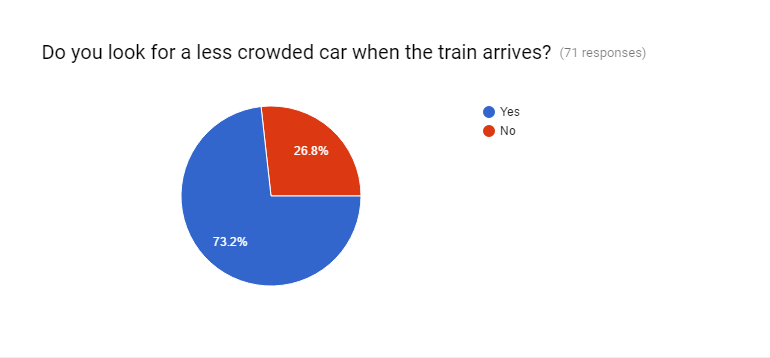
Train crowding survey

For desk research, we read about the MBTA and its services, and we read up on the design of metro stations in other cities. To gain insight on the current MBTA train-riding experience, we conducted observations during our own metro rides, interviewed novice and expert metro users, administered an online questionnaire to all types of users, and held a focus group.
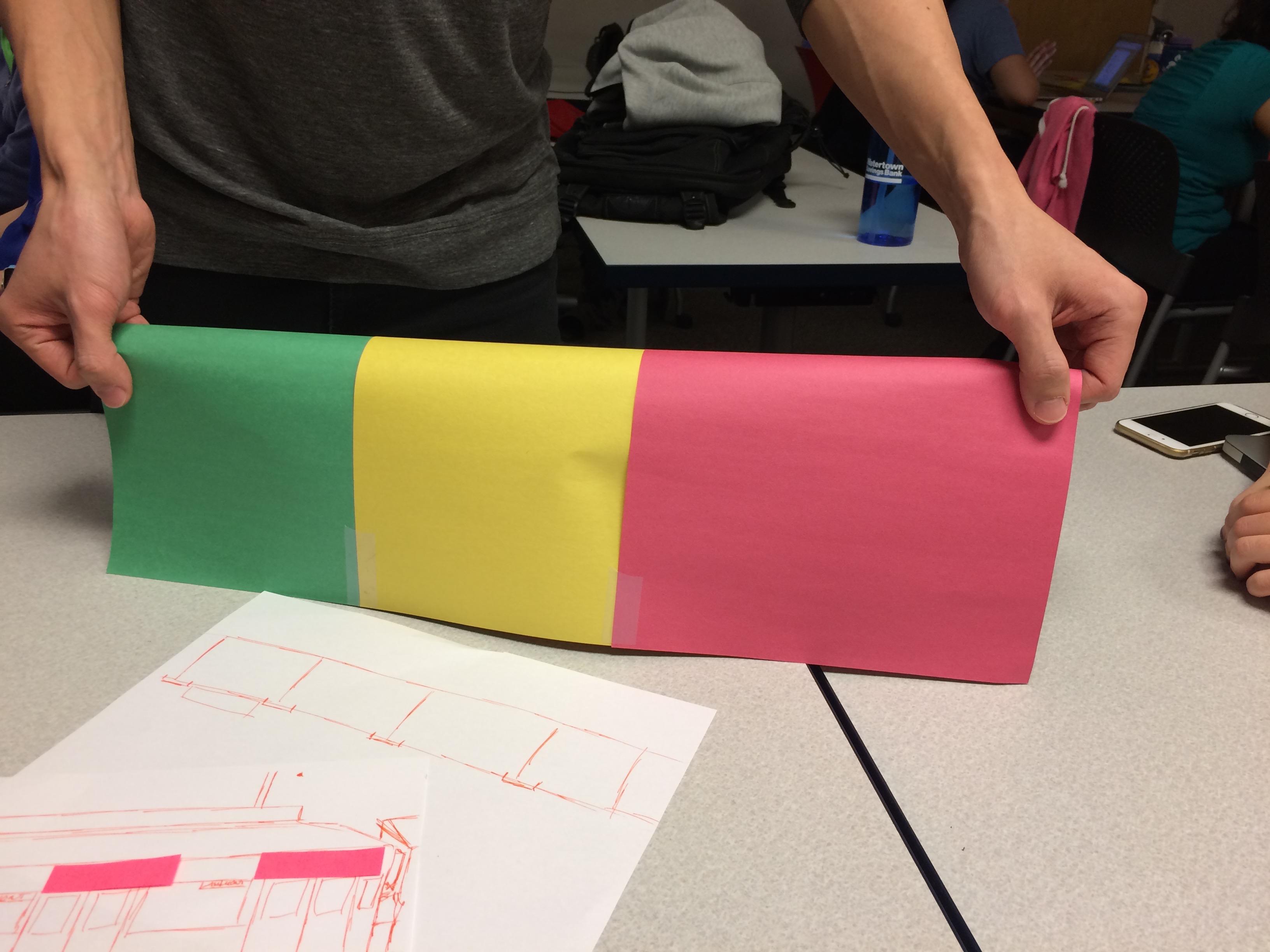
Train crowding brainstorming session

The team convened to create a list of user needs and a list of design requirements. We then brainstormed train crowding display ideas with a variety of crafting materials, and created an initial design concept.

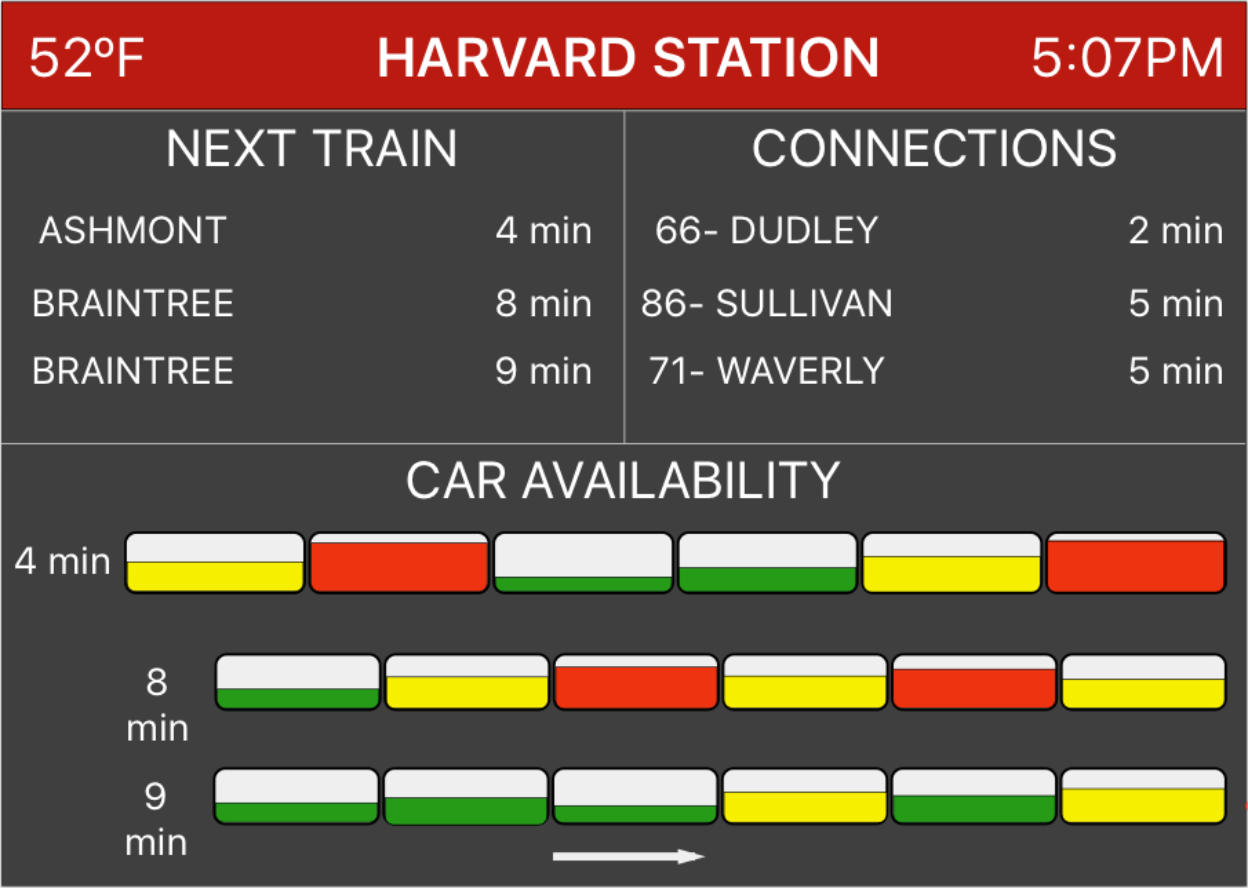
Train crowding display in full color

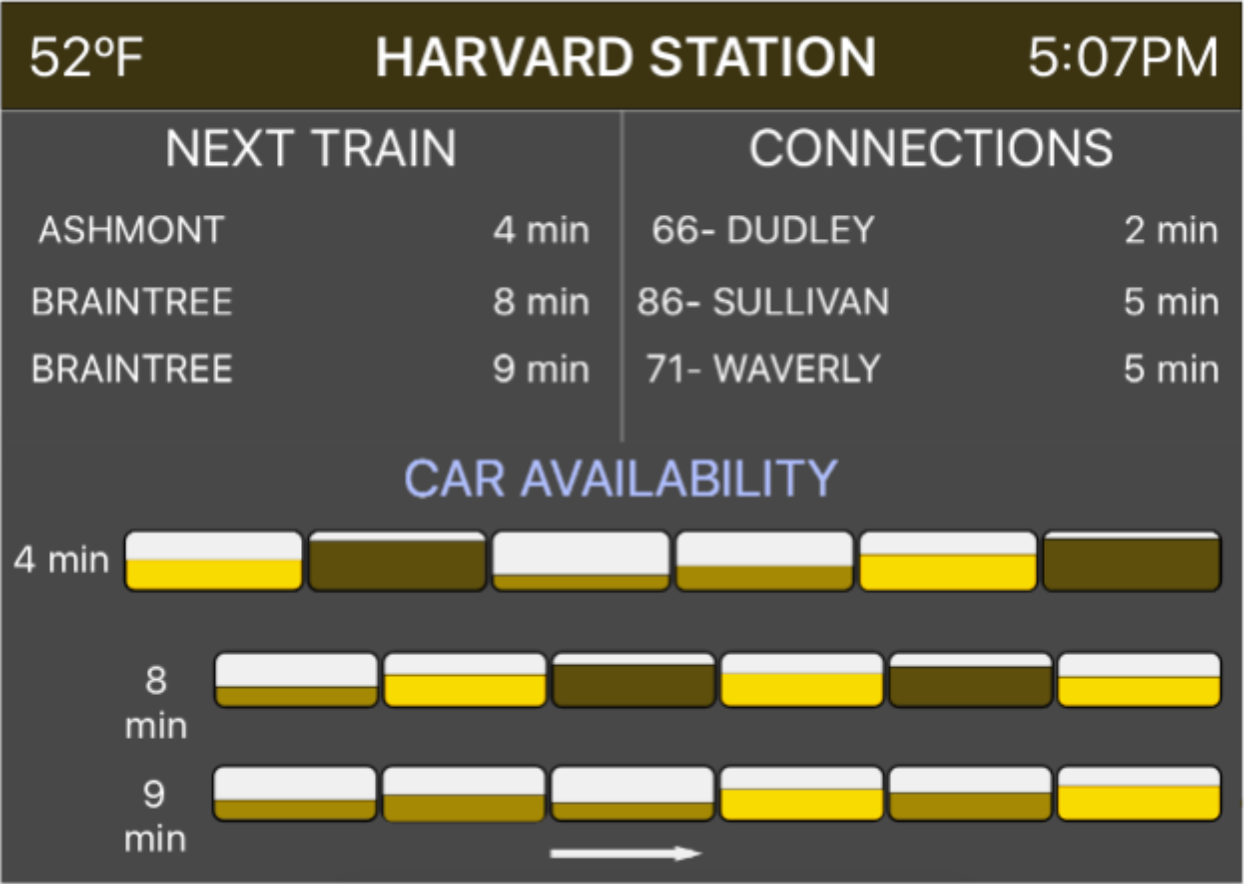
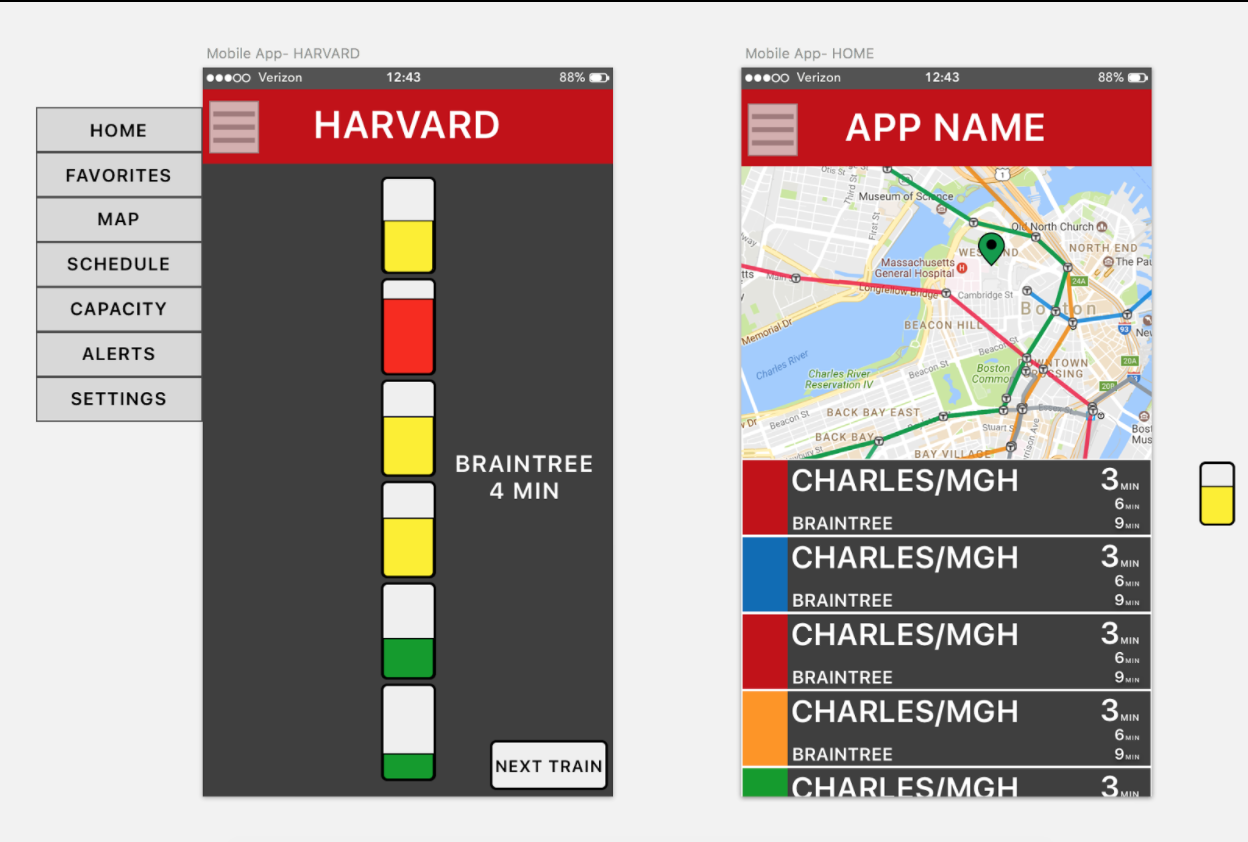
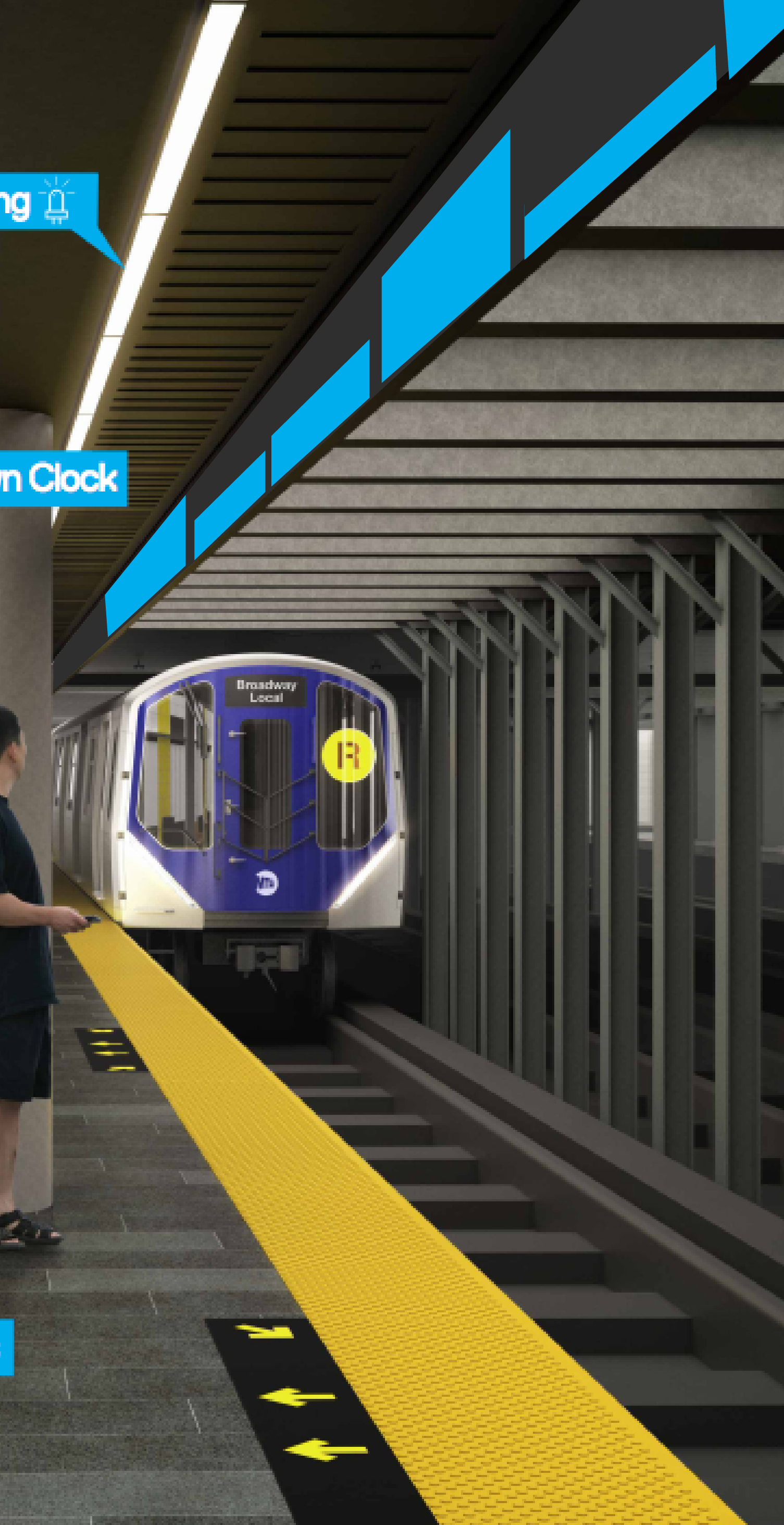
Our idea was to use an in-station display in conjunction with a display above the platform and a phone application to communicate train car crowding levels to MBTA-riders. The in-station display uses color-coding and height of color fill to indicate the crowding level of each given car. Since our initial concept involved much color, we tested what this display would look like for people with different types of colorblindness using an online image-altering tool. We also designed for a phone application version of the display to enable riders to see train crowding levels ahead of time.

Train crowding display colorblind Train crowding phone app screens
Train crowding dispay above platform
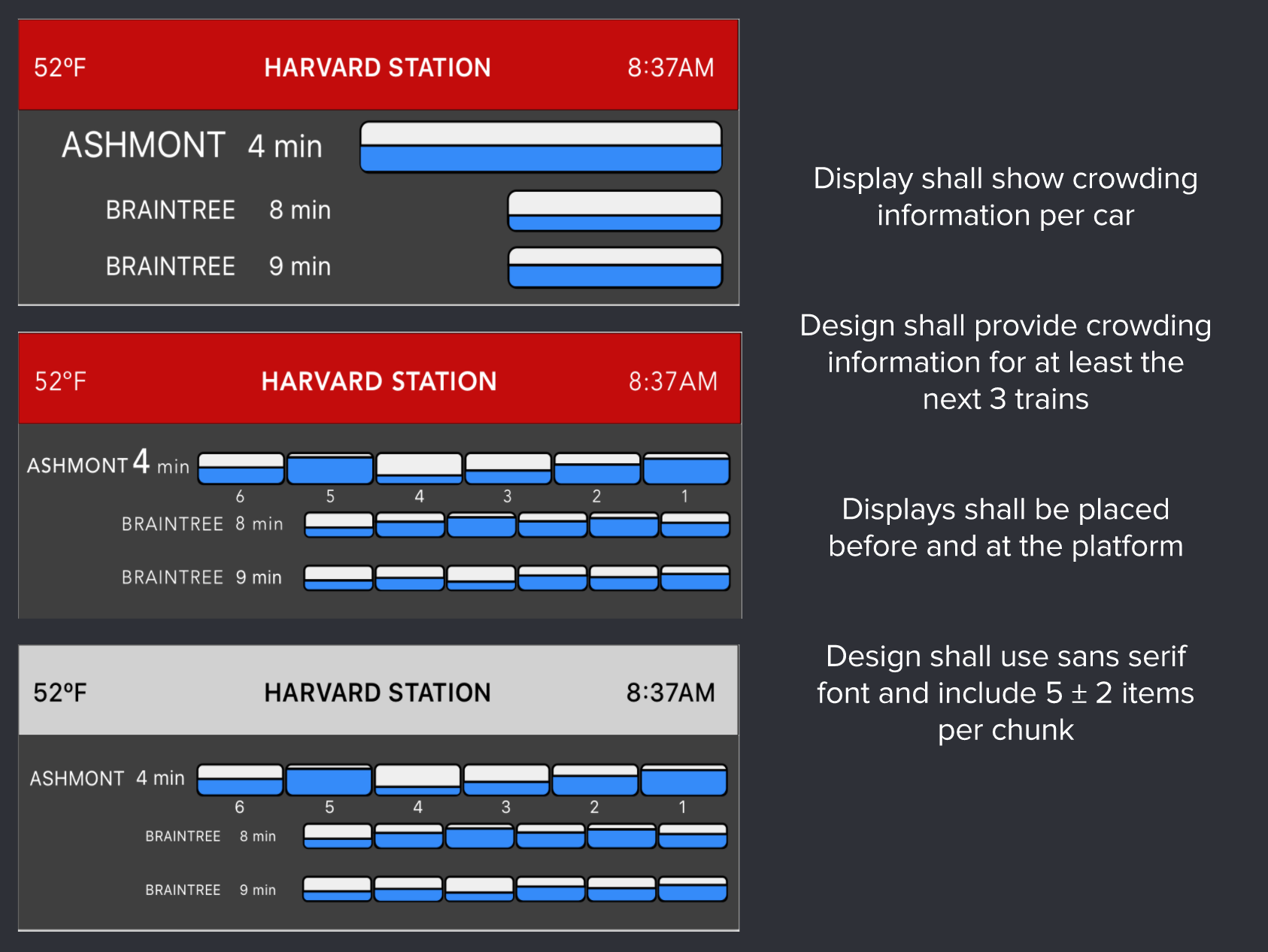
Train crowding display 3 design concepts

Since we received peer feedback that all the colors in our display were distracting, we developed three concepts without color-coding the crowding levels. We had these concepts reviewed by an expert UX designer and picked apart in preference testing.

After conducting user testing (simulated use + preference), we completed a hierarchical task analysis, identified hazards and assessed risks, and completed a heuristic analysis. From these and our previous findings, we generated design and research ideas for future iterations of our concept. We presented all of the above infomation to KCUS, Inc. representatives.

< Back